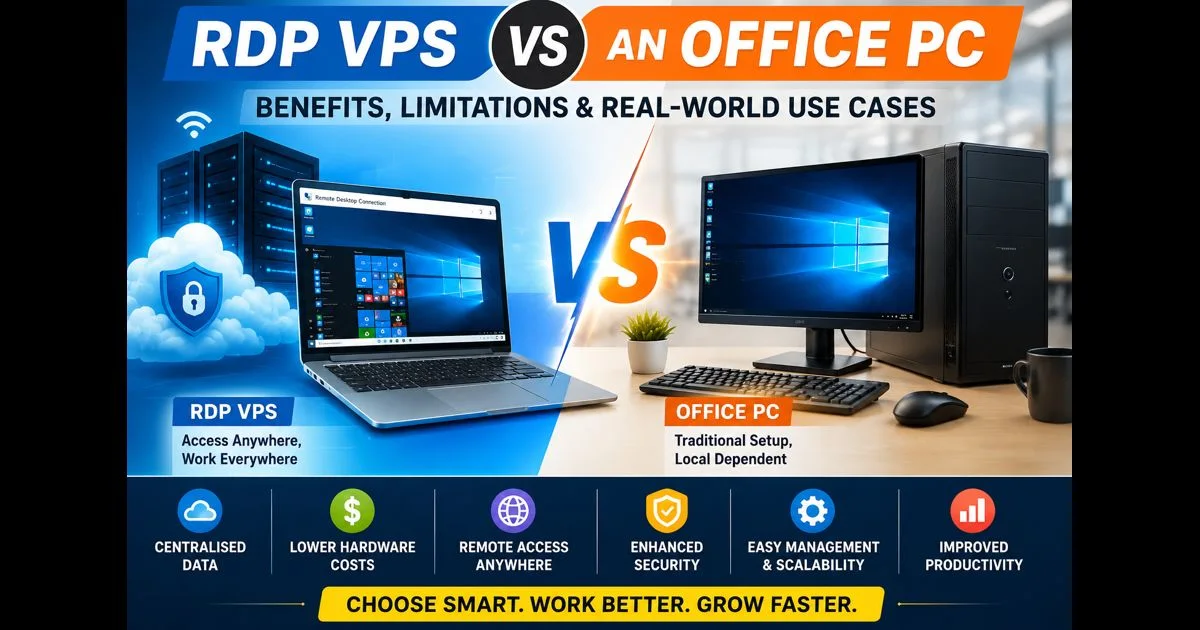
An RDP VPS allows businesses to move an employee’s workspace from a specific computer to a remote server running 24/7 in a data centre. Users connect over the internet and access a full Windows desktop with all their applications, files, and settings.
Many organisations begin considering this approach after running into the limitations of traditional office computers. One employee works from the office, another from home, while a third needs access while travelling. Documents become scattered across multiple devices, software updates are applied inconsistently, and replacing a laptop often involves transferring files, restoring settings, and reconfiguring access to internal systems.
An RDP VPS addresses many of these issues by centralising the working environment. Applications run on the server, data is stored in a single location, and employees access the same desktop regardless of the device they use.
For many businesses, reduced hardware costs become an additional benefit. When most of the processing workload is handled by the server, employees no longer need high-performance workstations. Support teams regularly encounter organisations that continue using five-year-old laptops after moving to a remote desktop infrastructure without any noticeable impact on day-to-day productivity.
At the same time, this approach has limitations. A stable internet connection is essential. Some applications depend on local hardware, and certain workloads remain better suited to a traditional computer.
For that reason, an RDP VPS should not be viewed as a universal replacement for every office PC. Its greatest value lies in environments where centralised management, remote access, a consistent user experience, and the ability to scale infrastructure without constantly replacing employee hardware are important.
What Changes When Moving from an Office PC to an RDP VPS
Many employees initially view an RDP VPS as simply replacing one computer with another. In reality, the entire operating model changes. The key difference is not where the Windows desktop appears, but where applications run and where data is stored.
With a traditional office PC, processing, storage, and applications all reside on the local device. If the hardware becomes outdated or fails, performance suffers and the working environment often has to be rebuilt on a replacement machine.
With an RDP VPS, applications, databases, and business data run on a server in a data centre. The employee’s device is used primarily to display the remote desktop and transmit user input. As a result, local hardware requirements are often much lower than expected. Support teams regularly see employees using older laptops that struggle with modern business applications locally but perform perfectly well when those workloads are moved to the server.
The workspace also becomes independent of a specific device. Applications, files, and user settings remain on the server, allowing employees to connect from an office PC, a home laptop, or a temporary replacement device and continue working in the same environment.
For users, the experience remains familiar. They log into a remote desktop and access the same applications and files they use every day. After a short adjustment period, most employees notice little difference between working locally and working through RDP.
For this reason, moving to an RDP VPS is usually less about increasing computing power and more about creating a workspace that is easier to manage, easier to recover, and far less dependent on individual devices.
Why Companies Start Saving Money on Employee Hardware
For many organisations, hardware upgrades are a recurring expense. Laptops are replaced every few years, memory is expanded, and new systems are purchased to keep up with growing software requirements. This approach makes sense when applications run locally.
After moving to an RDP VPS, most of the workload shifts to a server in a data centre. Business applications, databases, and file storage are handled centrally, while the employee’s device is used mainly to access the remote desktop.
Many companies adopt RDP for reasons such as remote work, data centralisation, or easier administration. The reduction in hardware costs often becomes an unexpected benefit. Support teams regularly encounter businesses that continue using five-year-old laptops without productivity issues because resource-intensive applications no longer run on the local device.
Some organisations go further and replace traditional PCs with thin clients designed specifically for remote desktop access. Others simply extend the lifespan of existing hardware and reduce the need for frequent workstation replacement.
Expensive workstations are not always necessary. Employees who spend most of their day using CRM platforms, accounting software, internal portals, and browser-based applications often gain little benefit from high-end local hardware when those systems run on a server.
This does not eliminate the need for powerful computers in every scenario. Engineering applications, video production, 3D modelling, and other demanding workloads may still require specialised hardware. For many office-based employees, however, an RDP VPS can significantly reduce hardware costs while extending the useful life of existing equipment.
Scaling Without Replacing Hardware
In a traditional office environment, growth usually means additional hardware costs. New employees require new computers, business applications consume more resources, and performance issues eventually lead to workstation upgrades.
With an RDP VPS, scaling works differently. Because applications run on the server, performance improvements are typically made by increasing server resources rather than upgrading individual devices. If employees need more memory or processing power, expanding the server’s RAM or CPU allocation can improve performance for the entire environment at once.
Businesses that use cloud-based RDP infrastructure often take advantage of this flexibility. For example, platforms such as Era.Host allow companies to increase RAM or CPU resources without replacing employee hardware or rebuilding workstations.
The same principle applies as the workforce grows. Instead of purchasing and configuring a new high-performance workstation for every employee, businesses can focus on ensuring that the server infrastructure has sufficient capacity to support additional users and workloads.
Support teams regularly see organisations reach a point where expanding server resources is significantly faster and less disruptive than upgrading dozens of employee computers. Adding RAM, CPU cores, or storage to a central platform often requires far less planning than coordinating hardware upgrades across an entire workforce.
For this reason, many businesses view an RDP VPS not only as a remote access solution but also as a more flexible way to scale infrastructure. Rather than continuously upgrading individual devices, they can expand resources centrally as business requirements grow.
What Happens When an Employee’s Computer Fails?
Workstation failures rarely happen at a convenient time. Problems usually appear when an employee urgently needs access to documents, customer records, or a business-critical application. A storage device fails, Windows stops booting, files become corrupted after a failed update, or a laptop suffers physical damage. These situations quickly reveal how dependent a business is on a particular device.
In a traditional workstation-based environment, the consequences are often more serious than they initially appear. Support teams regularly encounter cases where a hardware failure reveals that important documents existed only on the employee’s laptop. Configuration settings, certificates, saved connections, and other elements of the working environment may also be lost, particularly when they have never been documented or backed up properly.
Even when the data can be recovered, the process is rarely finished. A replacement computer must be prepared, the operating system installed, applications configured, user accounts restored, corporate services reconnected, and access to internal resources verified. In smaller organisations this may take several hours. In more complex environments, restoring a fully functional workstation can take days.
Lost or stolen devices create additional challenges. Beyond replacing the hardware itself, businesses often need to assess the risk to corporate data, change passwords, review access permissions, and determine what information may have been stored on the missing computer.
The situation is very different with an RDP VPS. Applications, documents, and business data reside on the server rather than on the employee’s device. The computer is used primarily as a gateway to the remote desktop environment.
If a laptop fails, the employee can usually continue working from another device as soon as an internet connection is available. There is no need to transfer files, restore databases, or rebuild the working environment. After logging in, the same desktop, applications, files, and user settings are immediately available.
Support teams regularly see scenarios where an employee reports a failed laptop in the morning and is back to work from a spare device shortly afterwards with minimal disruption. In a traditional setup, the same incident could easily result in extended downtime and significant involvement from IT staff.
For this reason, many organisations eventually view an RDP VPS as more than a remote access solution. It reduces dependence on individual computers, improves business continuity, and significantly shortens recovery times after hardware failures, device replacements, or other technical incidents.
Working Across Multiple Devices
In a traditional setup, the workspace is tied to a specific computer. Applications, documents, and settings are stored locally, which often creates problems when employees switch between devices.
Support teams regularly encounter users who work from an office PC, a home laptop, and a travel device during the same week. This frequently leads to duplicated files, synchronisation issues, and uncertainty about which document version is current.
With an RDP VPS, the workspace resides on the server rather than the device. Employees can connect from almost any computer, laptop, or tablet and access the same applications, files, and settings.
This is particularly useful for remote and hybrid teams. An employee can start work in the office, continue from home, and reconnect while travelling without transferring files or recreating their working environment. Device replacement is also simpler because the workspace remains unchanged regardless of the hardware being used.
When an RDP VPS Is More Practical Than an Office Computer
Not every workload belongs on a remote server. Traditional office PCs can remain perfectly effective for years. The strongest advantages of an RDP VPS appear when employees rely on shared data, business-critical applications, and access from multiple locations.
CRM systems are one of the most common examples. As businesses grow, customer information often becomes spread across different devices and users. A centralised RDP environment allows everyone to work with the same database in real time, reducing inconsistencies and duplicate records.
The same applies to ERP platforms, accounting software, internal databases, and other systems that multiple employees need to access simultaneously. Centralised deployment simplifies updates, backups, access control, and day-to-day administration while ensuring that everyone works with current information.
The benefits become even more noticeable in organisations with remote staff or multiple offices. Instead of synchronising data between locations and maintaining separate environments, employees connect to the same workspace regardless of where they are located.
Support teams regularly observe a simple pattern: the more employees depend on shared applications, databases, and internal services, the more valuable a centralised infrastructure becomes. In these situations, an RDP VPS is not simply an alternative to a traditional office computer. It is often a more efficient way to deliver access to the resources employees use every day.
Limitations and Drawbacks of an RDP VPS
Despite its advantages, an RDP VPS is not suitable for every workload. The biggest limitation is its dependence on internet connectivity. Unlike a traditional computer, a remote desktop cannot be accessed when the connection is unavailable. While 4G and 5G networks have reduced this issue significantly, offline work during flights or in areas with poor coverage remains difficult.
Connection quality also affects the user experience. Everyday tasks such as working with documents, CRM platforms, email, and accounting software usually perform well, but high latency or unstable connections can make the desktop feel less responsive. This is why remote desktop infrastructure is typically hosted as close as possible to the users it serves.
Certain hardware-dependent applications may present challenges. USB security keys, industrial equipment, scanners, point-of-sale devices, and other specialised peripherals do not always work seamlessly in remote environments, even though modern RDP clients support various redirection features.
Graphics-intensive workloads can be another limitation. Video editing, 3D modelling, engineering software, and other GPU-dependent applications often require specialised infrastructure that goes beyond a standard office-oriented RDP VPS.
Compatibility should also be considered. Some applications were designed specifically for local execution and may require testing before being moved into a remote desktop environment.
An RDP VPS delivers the greatest value for CRM systems, ERP platforms, accounting software, internal databases, and other applications that benefit from centralised management and remote access. When offline work, specialised hardware, or advanced graphics processing are critical requirements, a traditional workstation often remains the more practical choice.
When a Traditional Computer Remains the Better Choice
Despite the advantages of remote desktop infrastructure, not every business needs an RDP VPS. For small organisations with only a few employees, a single office location, and locally installed applications, a traditional computer is often the simpler and more cost-effective option.
The benefits of RDP are also limited when employees do not share databases, collaborate through centralised systems, or require remote access. In these environments, centralising applications and data may add complexity without providing meaningful operational improvements.
Local workstations often remain the better choice for software that depends heavily on specialised hardware, manufacturing equipment, engineering tools, point-of-sale devices, or other peripherals that are easier to manage directly on the computer.
An RDP VPS introduces additional infrastructure that requires administration, security management, backups, and resource planning. If a business does not gain clear advantages from centralisation, remote access, or shared systems, a traditional computer can remain the most practical solution.
In general, organisations with a small workforce, a single location, and limited collaboration needs often benefit more from keeping their infrastructure simple rather than introducing a remote desktop environment before it is genuinely required.
Why Many Companies Choose a Hybrid Approach
Many organisations do not move every workload to an RDP VPS. Instead, they use a hybrid model where business-critical systems run on a remote server while certain tasks remain on local computers.
This approach works because different applications have different requirements. CRM platforms, accounting software, internal databases, document management systems, and reporting tools benefit from centralisation, shared access to data, and simplified administration. At the same time, engineering software, CAD applications, specialised equipment, and graphics-intensive workloads often remain better suited to local workstations.
Hybrid environments are also common at the user level. Employees may use their local computer for web browsing, video meetings, and everyday office tasks, while accessing CRM, ERP, accounting systems, and internal databases through a remote desktop.
For many businesses, this provides the best balance between flexibility and control. Critical business systems are centralised and easier to manage, while specialised workloads continue running on hardware designed for their specific requirements.
In practice, the choice is rarely between moving everything to RDP or keeping everything local. Most organisations achieve better results by combining both approaches and using each where it delivers the greatest value.