In 2026, over 250 million creators are fueling the global attention economy. From YouTube essayists to TikTok trendsetters, the ability to repurpose content is no longer a luxury it’s a survival skill. But as video resolutions climb to 8K, traditional tools are failing us with slow uploads and privacy leaks.
Whether you need to turn a webinar into a podcast or rescue a wind-swept interview, this guide reveals the fastest, most secure ways to extract audio from video across all devices.
Why Extract Audio? It’s More Than Just a Conversion
Separating sound from its visual container is a creative superpower that unlocks three critical workflows:
- The “Rescue” Mission: Eliminate background hums or sudden spikes in an otherwise perfect take without touching the video frames.
- Content Multi-Platforming: Instantly transform a 60-minute LinkedIn Live into 12 punchy podcast episodes or TikTok soundbites.
- Privacy-First Localization: Extract clean tracks for AI-dubbing in 6 different languages without re-uploading massive source files to risky cloud servers.
Myth-Busting: The “Cloud” is Slowing You Down
Myth: You need a high-speed fiber connection to convert 4K videos online.
Reality: Modern browsers can process files locally.
Myth: Online tools always store your data.
Reality: With WebAssembly (WASM), your video never leaves your RAM.
The Universal 3-Step Extraction SOP
Regardless of the tool you choose, the logic remains the same:
- Import: Load your container (MP4, MOV, AVI).
- Separate: The software “de-muxes” the audio stream from the video stream.
- Export: Save as WAV (for lossless editing) or MP3 (for social sharing).
🛡️ Strategic Recommendation: The “Native-First” Stack
While software is essential, capturing clean audio at the source is the real pro move. For creators filming on the go, hardware like the NearStream AM25X ensures your raw tracks are studio-quality, making the following extraction tools even more effective.
The 5 Best Tools to Extract Audio from Video (2026 Ranked)
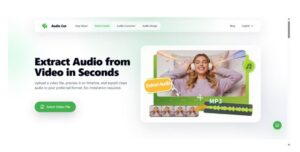
1. AudioCut.io The “Zero-Upload” Leader
- Best For: Privacy-conscious creators, iPhone/Android users, and those with massive 4K files.
- Why it Wins: Most “online” tools make you wait for an upload. AudioCut runs locally via WASM. Your 2GB video stays on your phone; the audio pops out in seconds.
- Workflow: Open Safari/Chrome > Drag Video > Instant Waveform > Export.
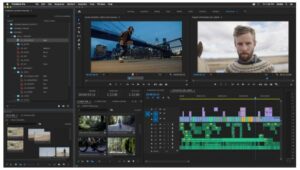
2. Adobe Premiere Pro The Industry Titan
- Best For: Professional filmmakers and agencies.
- Key Strength: Use the AI-powered “Enhance Speech” feature immediately after extraction to make a phone recording sound like a studio mic.
3. CapCut The Social Media Shortcut
- Best For: TikTok and Reels creators.
- Key Strength: The “Extract Audio” button is directly linked to an AI-caption generator, saving you hours of subtitling.
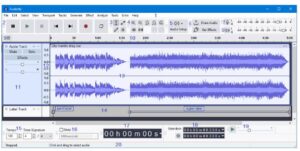
4. Audacity The Open-Source Purist
- Best For: Podcasters on Windows/Linux.
- Key Strength: Use the FFmpeg library to strip audio from obscure formats like MKV or FLV with zero quality loss.
5. VLC Media Player The Batch Workhorse
- Best For: Converting 50+ files overnight.
- Power Move: Use the “Convert/Save” feature to batch-process an entire folder of webinar recordings into MP3s.
Decision Matrix: Which Tool Should You Use?
| If you want… | Use this Tool |
| Instant Speed & Privacy | AudioCut.io |
| Deep Audio Restoration | Adobe Premiere / Audacity |
| Quick TikTok Edits | CapCut |
| Batch Processing | VLC |
Troubleshooting: Common Extraction “Glitches”
- “My audio is out of sync!”
- Fix: This usually happens with iPhone recordings (Variable Frame Rate). Use a tool like HandBrake to convert to Constant Frame Rate before extraction.
- Fix: This usually happens with iPhone recordings (Variable Frame Rate). Use a tool like HandBrake to convert to Constant Frame Rate before extraction.
- “The file is too large for the website.”
- Fix: Stop using cloud-converters. Switch to AudioCut.io; since it processes locally on your device, there are no file size limits.
- Fix: Stop using cloud-converters. Switch to AudioCut.io; since it processes locally on your device, there are no file size limits.
- “The quality sounds tinny.”
- Fix: Always export as WAV for your master file. Only convert to MP3 at the very end of your project.
- Fix: Always export as WAV for your master file. Only convert to MP3 at the very end of your project.
FAQ: Your Top Questions Answered
Q: Can I extract audio from a private YouTube video?
A: Yes. Use a downloader to get the MP4 first, then run it through AudioCut for a clean, private extraction.
Q: How do I extract audio on an iPhone without an app?
A: Use Safari to access AudioCut.io. It treats your browser as a native app, allowing you to bypass the App Store entirely.
Q: Is it safe to use online converters?
A: Only if they are “Local-Native.” If you see an “uploading” bar, your data is at risk. Always look for tools that process files in the browser RAM.
Final Thoughts: Reclaim Your Workflow
Extracting audio shouldn’t be a chore that involves waiting for progress bars. By shifting to Local-Native processing with tools like AudioCut, you protect your privacy and accelerate your creativity.
Ready to experience the 2026 standard?
Try AudioCut The Instant, Private Audio Extractor