
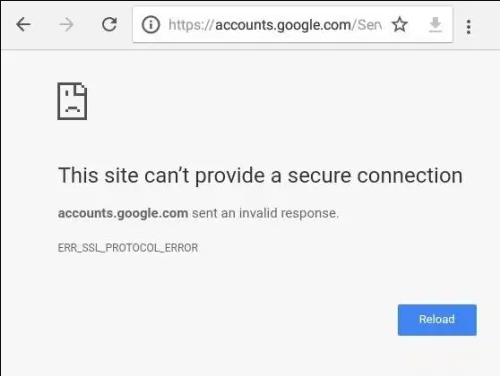
What Is Err_ssl_protocol_error and Why Does It Occur?
Err_ssl_protocol_error is a common browser issue that appears when a secure connection between your browser and a website cannot be established. This error usually indicates that something has disrupted the SSL handshake process, which is responsible for verifying encrypted communication. When a browser detects irregularities in SSL certificates, security configurations, or network settings, it blocks the page to protect users from potential risks. This is why encountering this error can be frustrating, especially when trying to access important websites.
The error often stems from misconfigured website servers, outdated browser settings, or discrepancies in system time. Modern browsers rely heavily on secure connection protocols, encrypted web communication, and certificate validation systems to keep users safe online. A single conflict within these components can trigger err_ssl_protocol_error and stop the page from loading. Understanding why this happens is the first step toward resolving it and restoring normal browsing functionality.
Also, explore Leavewb: Complete Guide To Digital Leave Management
Key Causes Behind Err_ssl_protocol_error and How They Impact Browsing
Common Technical Factors Leading to Err_ssl_protocol_error
When exploring the root causes of err_ssl_protocol_error, several technical factors come into play. One of the most frequent issues involves incorrect date and time settings on the user’s device. SSL certificates operate within strict validity periods. If your device’s clock does not match real-time settings, the browser may mistakenly view the certificate as expired or invalid. Fixing the device clock often resolves the problem instantly.
Another major cause is outdated browser versions. Modern websites rely on updated security protocols such as TLS 1.2 and TLS 1.3. If your browser is outdated and does not support these protocols, the connection cannot be completed. Updating the browser restores access and ensures compatibility with the latest standards. Additionally, SSL certificate errors, security configuration conflicts, and network filtering issues may interrupt the secure communication channel.
Your antivirus or firewall software can also trigger err_ssl_protocol_error. Some security programs automatically intercept SSL traffic for scanning. While this improves protection, it can cause conflicts with the browser and prevent secure sites from loading. Adjusting your security settings or temporarily disabling SSL scanning usually helps.
How Network and Server Factors Influence SSL Protocol Errors
Network-related problems often contribute to SSL errors, especially when browsing through public or restricted networks. Wi-Fi networks with strict firewalls may block essential SSL ports, preventing successful handshakes. Resetting the router or switching to a more open network frequently solves this issue. Server-side issues also play a significant role. If a website’s server uses outdated SSL settings or fails to renew its certificate, visitors may experience immediate errors.
From the server perspective, incompatibility between TLS configurations, cipher suites, and domain validation processes can cause the connection to fail. Website owners must ensure that their SSL certificates are properly installed, configured, and up to date. Otherwise, browsers will refuse to load the page and display err_ssl_protocol_error to protect the user from potential threats.
Best Practices to Prevent SSL Protocol Errors in the Future
Understanding SSL behavior helps both users and website administrators prevent future errors. Keeping the browser updated ensures compatibility with the latest security standards. Regularly clearing cookies and cached data also reduces the chances of connection conflicts. Users should maintain accurate system time, use reliable antivirus software, and avoid outdated operating systems that no longer support modern encryption.
For website owners, using reputable certificate providers and enabling modern security protocols, robust encryption, and automatic certificate renewal helps maintain a secure online environment. Monitoring server configurations and implementing best practices ensures visitors experience smooth, error-free browsing. Preventive measures create a safer web experience for everyone and reduce the chances of recurring SSL errors.
Frequently Asked Questions
1.What does err_ssl_protocol_error mean?
It indicates that the browser cannot establish a secure SSL connection due to certificate or protocol conflicts.
2.Can incorrect date and time cause SSL errors?
Yes, SSL certificates rely on accurate system clocks, and incorrect time settings can trigger this error.
3.Does antivirus software affect SSL connections?
Some security programs scan encrypted traffic, which can cause conflicts and lead to this error.
4.How do I fix SSL protocol errors quickly?
Updating the browser, correcting system time, clearing cache, or adjusting security settings often resolves the issue.
5.Is this error dangerous?
The error itself is protective, not dangerous. It prevents users from accessing sites with potential security risks.
Conclusion
Err_ssl_protocol_error is a common but solvable issue that occurs when browsers cannot verify secure connections due to certificate conflicts, outdated settings, or network restrictions. By keeping your browser updated, verifying system time, adjusting security software, and ensuring proper server configurations, you can quickly restore access to secure websites. Understanding the causes and solutions behind err_ssl_protocol_error helps maintain a safe, smooth, and reliable browsing experience.

