Most Amazon sellers know their revenue. Far fewer know their actual profit. That gap is where businesses quietly bleed money and it happens more often than you would think.
Understanding your numbers is not optional anymore. With Amazon FBA fees changing regularly and fulfillment costs eating deeper into margins, sellers who do not calculate properly are flying blind. This blog covers everything you need to know about using an Amazon FBA calculator to protect your profit in 2026.
Why Your FBA Numbers Are Harder to Track Than You Think
Selling through FBA sounds straightforward. Amazon stores your stock, packs the orders, and handles shipping. You focus on growing the business.
But the costs involved are more layered than most sellers realise when they start out.
Amazon FBA fees in 2026 cover several different charges. Fulfillment fees are based on the size and weight of your product. Storage fees depend on how long your inventory sits in the warehouse.
Then there are referral fees, which vary by category. Add returns processing, aged inventory surcharges, and the occasional inbound placement fee, and your cost per unit starts looking very different from your original estimate.
This is exactly why guessing does not work. You need a proper FBA fee calculator to see the full picture before you price a product, run a promotion, or place a reorder.
What an Amazon FBA Calculator Actually Does
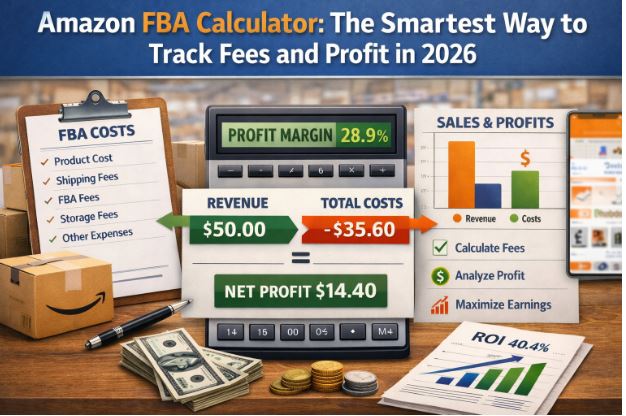
An Amazon FBA calculator takes your product details and runs them against Amazon’s current fee structure. The output tells you what you will actually pocket after every cost is removed.
A good FBA calculator for Amazon covers:
Fulfillment Fees
These are charged per unit shipped. Size matters a lot here. A product that crosses from standard size into oversized pays significantly more per shipment. Small changes in packaging dimensions can make a real difference to your margin.
Storage Fees
Monthly storage fees apply to all inventory sitting in Amazon’s fulfillment centers. Long-term storage fees kick in for items stored beyond 365 days. A calculator helps you factor these in so slow-moving stock does not silently drain your account.
Referral Fees
Amazon takes a percentage of every sale. This varies by category — anywhere from 6 percent to 45 percent depending on what you sell. Many sellers forget to include this in their margin math until it is too late.
Net Profit Margin
After all fees are accounted for, the calculator shows your actual margin per unit. This is the number that determines whether a product is genuinely worth selling.
Using an Amazon FBA profit calculator before launching a product saves you from the painful experience of selling at volume and still losing money.
Amazon FBA Fees in 2026: What Has Changed
Fee structures on Amazon are not static. They shift every year and 2026 has brought some notable updates that sellers need to factor in.
Fulfillment fees have seen adjustments across several size tiers. Inbound placement fees introduced in recent years are now a standard part of the cost model for many sellers. Storage fees during peak months remain higher than off-peak rates.
Understanding the current Amazon FBA fees structure is critical before you set your prices. What worked as a profitable margin calculation in 2024 may not hold up today.
The Amazon FBA rate card outlines every fee category in detail. It is worth reviewing it at least once a quarter and running your numbers through a calculator each time fees update.
How to Use an FBA Fee Calculator the Right Way
Most sellers open a calculator, plug in a selling price, and look at the profit number. That is a start but it is not enough.
Here is a smarter way to use it:
Start With Your Target Margin
Decide what minimum profit margin you need before a product makes sense. Work backwards from there to find the price point that hits your target after all FBA fulfillment fees are covered.
Test Multiple Price Points
Run the same product at three or four different price points. See how the margin shifts. Sometimes a small price increase dramatically improves your profit without affecting your conversion rate much.
Factor in Your Cost of Goods
An Amazon FBA calculator free of charge is useful for quick checks but make sure you are including your actual landed cost, product cost plus shipping to Amazon. Leaving this out gives you a false picture of profitability.
Check Seasonality
Storage fees are higher between October and December. If your product sits during peak months, recalculate with the higher rate to see if the margin still holds up.
Revisit After Every Fee Change
Set a reminder to rerun your calculations whenever Amazon updates its fee structure. A product that was profitable at the start of the year may need repricing by mid-year.
Final Thoughts
Profit on Amazon does not come from selling more. It comes from knowing your numbers and protecting your margin at every step.
Amazon FBA fees in 2026 are more detailed than ever. Sellers who track them carefully, calculate before they commit, and revisit their numbers regularly are the ones building businesses that actually last.
A good Amazon FBA calculator is not a nice-to-have. It is one of the most important tools in your selling kit. Use it early, use it often, and let the numbers guide every decision you make.
Frequently Asked Questions
What is an Amazon FBA calculator?
It is a tool that calculates your net profit after Amazon deducts fulfillment fees, storage fees, and referral fees from your selling price. It gives you a clear picture of what you actually earn per sale.
Is there a good amazon fba calculator free option available?
Yes. Amazon provides a built-in revenue calculator inside Seller Central. Several third-party tools also offer free versions with additional features like margin tracking and competitor data.
What are the main Amazon FBA fees in 2026?
The main fees include fulfillment fees per unit, monthly storage fees, referral fees by category, and inbound placement fees. Long-term storage fees apply to inventory held beyond 365 days.
What is the Amazon FBA rate card?
It is Amazon’s official document that lists all current fee rates by size tier, weight, and category. Sellers should review it regularly to keep their margin calculations accurate.
How do amazon fulfillment costs affect my pricing strategy?
Directly. If you do not build fulfillment costs into your pricing from the start, you risk selling at a loss. Use a calculator before setting any price to make sure your margin is protected.
Author Bio
Arishekar N. is the VP of marketing and business development at AMZ Prep. Bringing decades of experience in driving growth for e-commerce businesses, he has established himself as a thought leader in the digital marketing space.
His expertise spans strategic marketing, e-commerce operations, SEO, advertising, and branding. Arishekar has successfully led numerous campaigns that have yielded specific achievements, such as a 200% increase in online sales for client businesses.
As a regular contributor to respected industry publications, Arishekar shares valuable insights on optimizing online business performance and navigating the ever-changing e-commerce landscape. His data-driven approach and commitment to ethical marketing practices have earned him recognition as a trusted voice in the industry.
Arishekar dedicates his efforts to equipping entrepreneurs and marketers with practical strategies that can significantly enhance their financial performance. For the latest trends, tips, and expert analysis in e-commerce and digital marketing, follow Arishekar N on https://in.linkedin.com/in/arishekar.