Managing attendance is quite challenging when your team works outside the office. Employees often mark their attendance from different locations. Managers have to keep track of who reported to work, where they marked attendance, and whether the records are accurate for payroll. When all of this is managed manually, it is time consuming and leads to errors.
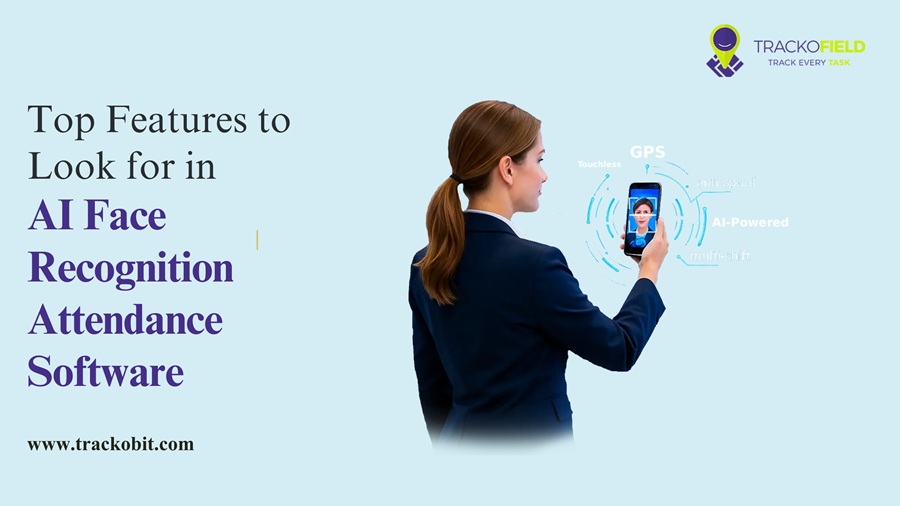
This is why businesses with field teams are now switching to AI face recognition attendance software. It makes attendance faster, more accurate, and much easier to manage. Employees simply scan their face to mark attendance, while managers get verified records in one place.
But choosing the right software is just as important as deciding to automate attendance. Every solution looks similar on paper. However, the features, accuracy, and ease of use can vary a lot.
In this guide, we’ll discuss the key things you should look for before choosing a face AI recognition attendance software for your business.
5 Key Features to Look for in AI Face Recognition Attendance Software
Not every software is built to solve your business challenge. Here are the key features that you can look to find the right fit based on your business requirements.
1. Liveness Detection and Anti-Spoofing
A good face recognition attendance software must offer more than just matching face. It should also verify that a real person is marking attendance. This is where liveness detection and anti-spoofing become important. So that businesses can prevent attendance from being marked using a printed photo, a mobile screen, or any other fake image.
It gives managers confidence that the actual employee has marked attendance.
2. Make Sure it Works Without Internet
Field employees don’t always work in areas where internet connectivity is strong. They often visit remote villages, construction sites, or customer locations with poor network coverage. If the software only works with the internet, then employees may not be able to mark attendance on time.
Businesses should choose software that supports offline attendance marking. It should store attendance records locally and automatically sync them once the internet is available. So, managers can ensure that attendance is never missed even without the internet.
3. Check Integration with Existing System
Attendance is a part of your daily operations. Managers also use payroll software, HRMS, leave management systems, and ERPs. If your attendance software cannot integrate with them, your team may end up entering the same data multiple times.
Look for software that easily integrates with external apps like TrackoField. It supports easy integration with almost 200+ apps. So, you can reduce manual work and improve data accuracy. Plus, it saves time for both HR and operations teams.
4. Instant False Alerts
Managers cannot keep checking attendance records throughout the day. They need important updates as they happen. Choose an AI Face Recognition Attendance Software that sends instant alerts for key attendance events. This helps managers respond quickly without constantly monitoring the system.
For example, the software should notify managers when:
- An employee marks attendance successfully.
- Attendance is marked outside the assigned location.
- Face verification fails repeatedly.
- An employee misses check-in or check-out.
- There is any unusual attendance activity.
Instead of finding these issues at the end of the day, managers can take immediate action.
5. Look for Useful Reports
Attendance records are useful. But reports are what help managers make better decisions.
Imagine managing a field team of 100 employees. It is not practical to check every employee’s attendance individually every day. Instead, you need reports that quickly show what’s happening across the team.
A good face recognition attendance software should provide reports that are easy to understand and easy to act on.
Look for reports such as:
- Daily attendance summary
- Late check-ins and early check-outs
- Missed attendance records
- Employee-wise attendance history
- Team or branch-wise attendance reports
- Attendance trends over a selected period
The best solutions also allow you to export reports and share them with HR or other stakeholders whenever required.
Conclusion
Choosing the right AI face recognition attendance software is not just about automating attendance. It is about finding a solution that fits the way your field team works.
Features like liveness detection, offline mode, instant alerts, useful reports, and easy integrations can make a big difference in day-to-day operations. However, before you make any decision, take the time to evaluate your business requirements and compare different solutions. Look for one that not only solves your current attendance challenges but also supports your business as it grows.
If you are looking for a solution that combines AI-powered attendance with employee tracking, reporting, and field operations management, platforms like TrackoField can help you manage everything from a single place.